
Tap. Pay. Charge. Return.
A low battery shouldn’t slow you down. Here’s how to rent a portable power bank from any Catch A Charge kiosk.
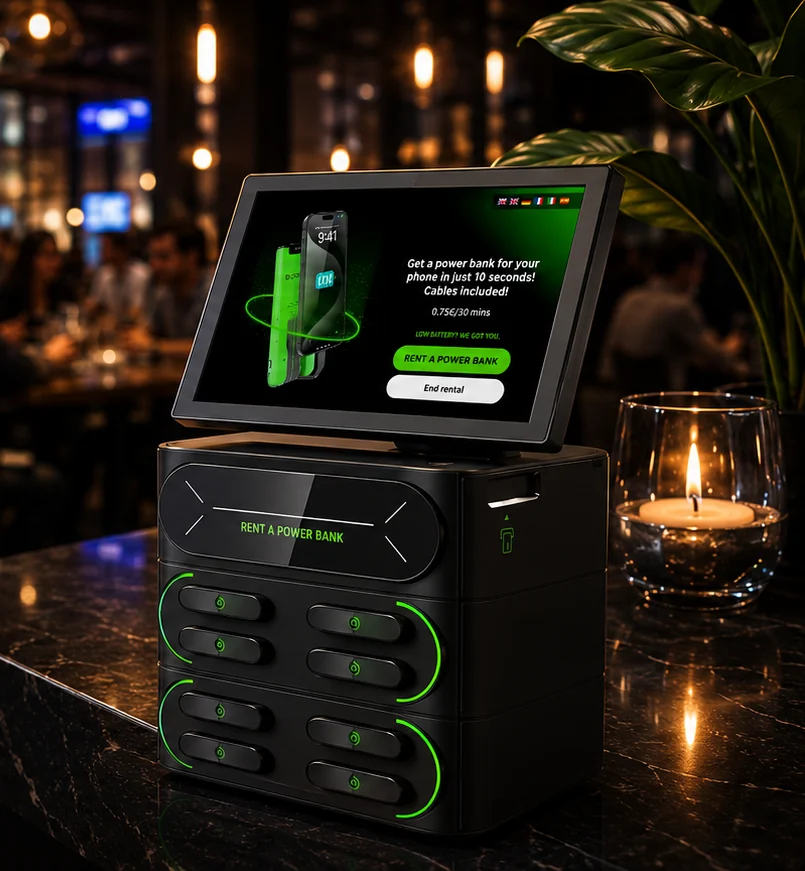
USB-C & Lightning. Power in your pocket.
- 01
Start your rental
Tap “Rent a Power Bank” on the kiosk screen.
- 02
Review the pricing
Review the displayed rental rate and tap continue.
- 03
Complete payment
Pay securely with a card, mobile wallet, or contactless payment.
- 04
Wait for confirmation
The kiosk processes your payment and confirms your rental.
- 05
Grab your charger
Take the power bank released by the kiosk.
- 06
Charge anywhere
Plug in the built-in USB-C or Lightning cable and keep moving.
- 07
Return at any kiosk
Place your charger back in any Catch A Charge kiosk.
- 08
Rental complete
The kiosk confirms your return and ends your rental.